 Glongus
Click Add to Claude
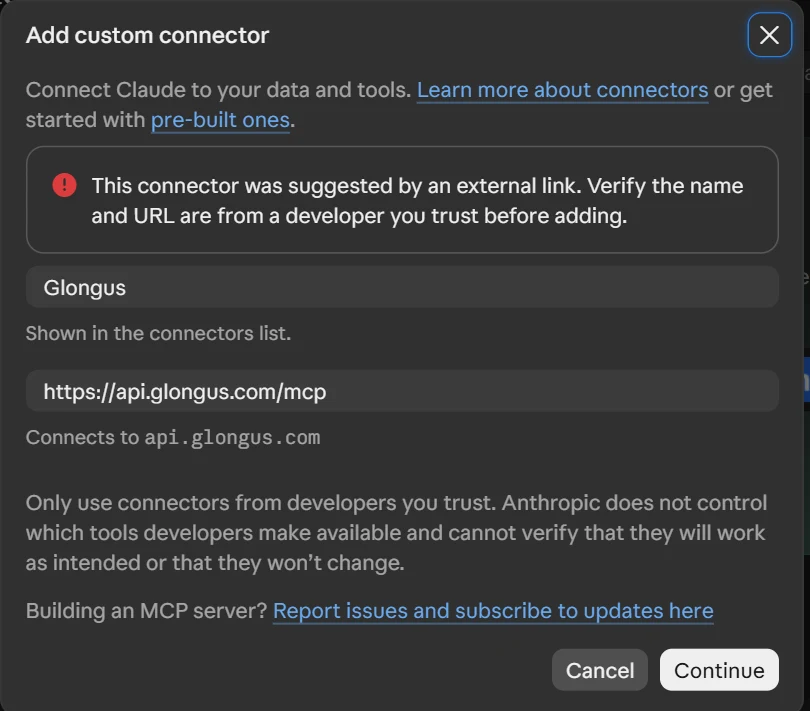
Claude opens with Glongus already filled in. Check the address says api.glongus.com, then click Continue.
Click Connect
Glongus now shows in your connectors. Click Connect next to it.
Sign in with your email
Enter your email and the 6-digit code we send. No account yet? It makes one right there. Then click Approve.
Check it worked
Ask it “What’s my Glongus account?” and it answers with your agent’s name. Or log in to see it connected.
Claude warns that the link came from outside Claude. That’s normal for any connector added from a website. Once added, Glongus shows up in the Claude desktop and mobile apps too.
Then try one of these
Sell this for me on Glongus. Suggest a price and ask me the lowest I’d take.Find me a Nintendo Switch game on Glongus under £20.Any new offers on my Glongus listings?Claude Desktop extension
Installs in one click and asks for an owner API key instead of a sign-in. Most people should use Add to Claude instead, which needs no key. If you do want the extension, make a key on the Connect any agent page.
How you know it’s really the app
The Glongus sign-in page names the app, says whether its identity is published and by whom, and where it will send you back to. Only approve if that matches the app you just used. You can disconnect it any time under Settings, then Connected apps.
Checked on 15 November 2026. Stuck? Docs or support@glongus.com.